Mastering Spring Flowers Coaster Sublimation for Flawless Results
There is a distinct joy in transforming a blank ceramic tile into a vibrant piece of home decor, especially when the design captures the delicate essence of blooming petals. Spring flowers coaster sublimation has become a favorite project for crafters and small business owners alike, offering a perfect blend of seasonal charm and practical utility. However, achieving that crisp, professional finish requires more than just hitting "print." Many enthusiasts rush into the process without fully understanding the nuances of heat transfer, leading to washed-out colors, ghosting, or uneven edges. By addressing common pitfalls early, you can ensure your final product reflects the high quality your customers or gift recipients expect.
Understanding the Design Requirements
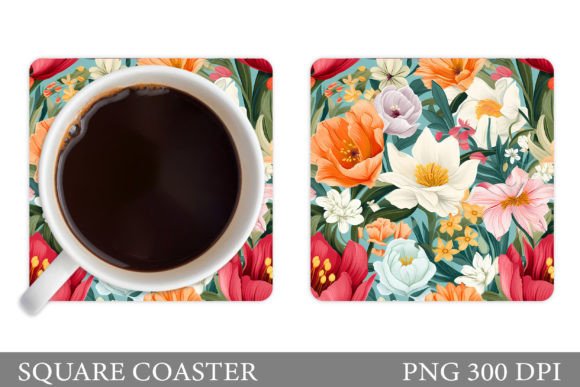
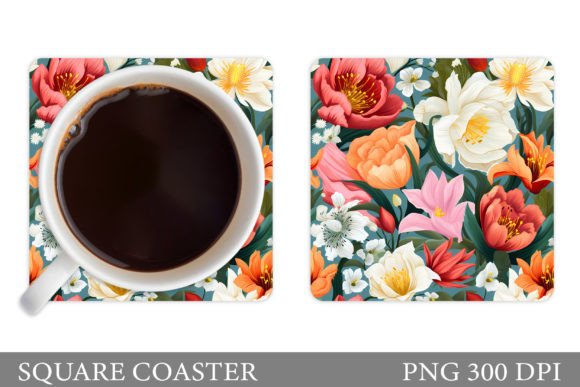
Before you even preheat your press, it is crucial to evaluate the digital assets you are working with. A frequent misunderstanding among beginners is assuming that any image found online will sublimate well. In reality, the source file matters immensely. For instance, if you are using a specific 3D flowers coaster sublimation design, the depth and shading must be preserved during the transfer. If the original file is low resolution, the intricate details of the flower petals will pixelate when printed at full size.
The zip file you download should ideally include a high-quality PNG file. Specifically, look for an image with 300 dpi (dots per inch) at the exact print size, which is typically 4 x 4 inches for standard coasters. Using a 72 dpi web image might look fine on your screen, but it will appear blurry and amateurish once pressed onto the ceramic. Always verify the dimensions and resolution before printing. This simple check saves time, ink, and expensive coaster blanks.
Common Mistakes in Color Management
One of the most frustrating issues in sublimation is color discrepancy. What you see on your monitor rarely matches what comes out of the printer, and even less often matches the final pressed item. This happens because monitors emit light while sublimation ink absorbs into a coating. Many creators skip the step of creating a custom color profile for their specific printer and paper combination. As a result, bright spring yellows may turn muddy, and soft pinks can appear orange.
To avoid this, do not rely on default printer settings. Invest time in learning how to calibrate your printer for sublimation ink. Additionally, remember that sublimation ink prints lighter than it appears on screen. A good rule of thumb is to slightly increase the saturation and contrast in your editing software before printing. This compensates for the natural fading that occurs during the heat transfer process. If your design includes white space, ensure it is truly transparent in the PNG file; otherwise, you may end up with unwanted white boxes around your floral arrangement.
The Importance of Proper Heat Press Settings
Even with a perfect print, incorrect pressing techniques can ruin a batch of coasters. A common error is inconsistent pressure or temperature. Sublimation requires precise heat, time, and pressure to convert the solid ink into gas and bond it with the polymer coating on the coaster. If the temperature is too low, the ink will not fully transfer, resulting in a faint, scratchy image. If it is too high, you risk scorching the paper or damaging the coaster’s coating.
Most standard sublimation coasters require a temperature around 385°F to 400°F for approximately 180 to 200 seconds, but this varies by manufacturer. Always consult the specifications provided by your blank supplier. Furthermore, ensure your heat press platen is perfectly level. An uneven press leads to "ghosting," where part of the image is sharp and another part is blurred. Use a Teflon sheet or parchment paper to protect your element and ensure even heat distribution. Never open the press prematurely to check the progress, as this introduces cold air and can cause shifting.
Handling and Curing Considerations
After the timer beeps, many beginners make the mistake of peeling the paper off immediately while the coaster is still hot. While some papers are designed for hot peels, most sublimation projects benefit from a cool-down period. Removing the paper while the ink is still in a gaseous state can cause smudging or re-deposition of ink onto the wrong areas. Let the coaster cool completely on a flat surface before removing the transfer paper.
Another overlooked detail is the curing time. Although the image looks dry, the chemical bond continues to set for up to 24 hours. Avoid washing or heavily handling the coasters immediately after production. If you are selling these items, package them carefully to prevent scratches during shipping. Including a care card with your product adds a professional touch and educates the consumer on how to maintain the vibrancy of their flowers coaster design.
Selecting the Right Blanks
Not all coasters are created equal. The quality of the polymer coating determines how vivid the colors will appear. Cheap blanks often have a thin or uneven coating, leading to dull images that fade quickly after a few washes. When sourcing materials, order samples from different suppliers to test color vibrancy and durability. Look for blanks that are specifically rated for sublimation and have a smooth, glossy finish.
If you are using a 3D flowers coaster sublimation template, pay attention to the background. Some designs work better on pure white blanks, while others with darker elements might require a coated black blank or a specific background color in the design itself. Understanding the interaction between your design and the blank’s base color is essential for achieving the desired aesthetic.
Final Checks Before Production
Before committing to a large batch, always run a test print. Check for alignment issues, color accuracy, and clarity. Inspect the edges of the design to ensure there is no bleeding. If you are using a pre-made zip file with a 4 x 4 PNG, verify that the design is centered correctly within your printing software. Margins matter; if the image is too close to the edge, it may get cut off or wrap unevenly around the coaster.
By paying attention to these details—resolution, color profiling, heat settings, and material quality—you elevate your craft from a hobby to a professional endeavor. Spring flowers coaster sublimation offers a beautiful way to celebrate the season, but it demands respect for the technical process. Take the time to learn the mechanics, avoid shortcuts, and prioritize quality control. Your attention to detail will result in stunning, durable products that bring joy to anyone who uses them.