Custom Packaging Box Design Guide
In the competitive world of retail and e-commerce, the first physical interaction a customer has with your brand is often through its packaging. Custom Packaging Box Design is more than just a container; it is a silent salesman, a brand ambassador, and a crucial element of the unboxing experience. Whether you are launching a new line of artisanal candles, high-end electronics, or luxury fragrances, the way your product is presented can significantly influence perceived value and customer loyalty.
For entrepreneurs and designers, understanding the nuances of packaging design is essential. It involves a blend of aesthetics, structural integrity, and technical precision. This guide explores how to leverage professional design assets, such as 3D illustrations and vector templates, to create packaging that stands out on the shelf and in the mailbox.
The Power of First Impressions
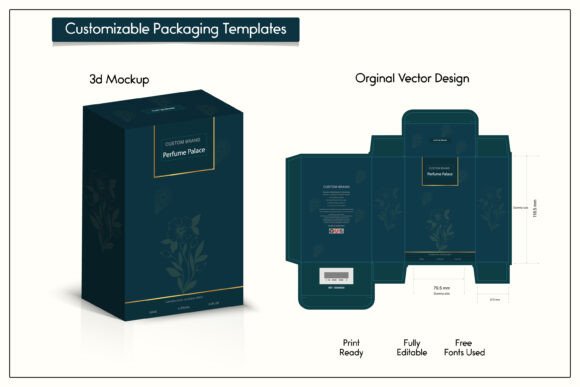
Imagine receiving a package. The outer box is plain, battered, and generic. Now, imagine receiving a package with crisp edges, elegant typography, and a design that reflects the quality of the item inside. The difference is immediate. Luxury Perfume Packaging Box Design, for instance, relies heavily on this psychological impact. A fragrance is an intangible experience until it is sprayed, so the box must convey the scent’s personality—be it fresh, woody, or floral—through visual cues.
High-quality packaging signals to the consumer that the brand cares about details. It builds trust. When a small business owner invests in premium packaging, they are telling their customers, "This product is worth protecting, and you are worth impressing." This is why Premium Packaging Box Design for All Industries has become a standard expectation rather than a luxury reserved for big corporations.
Understanding the Technical Essentials
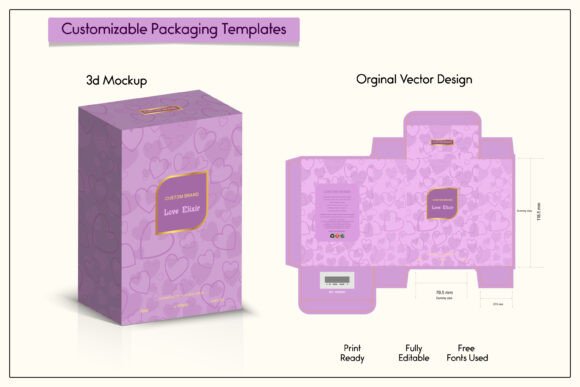
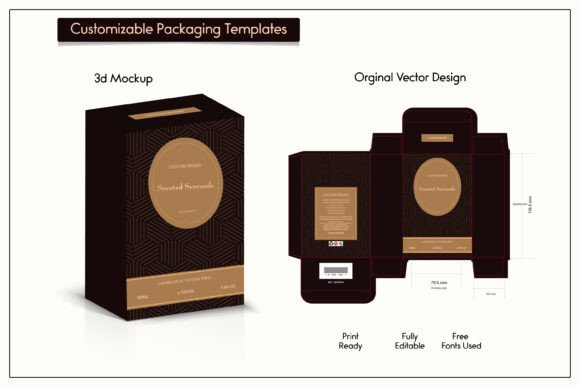
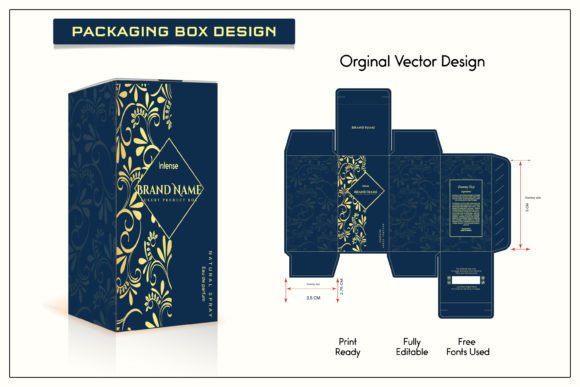
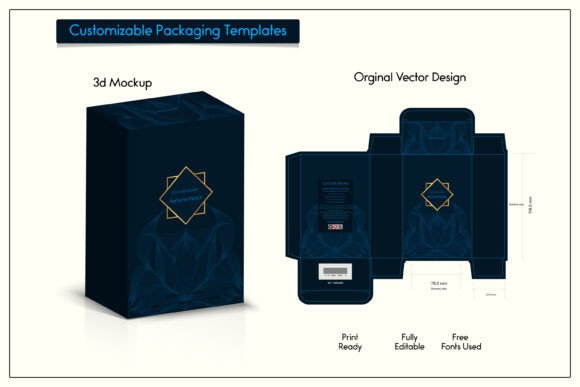
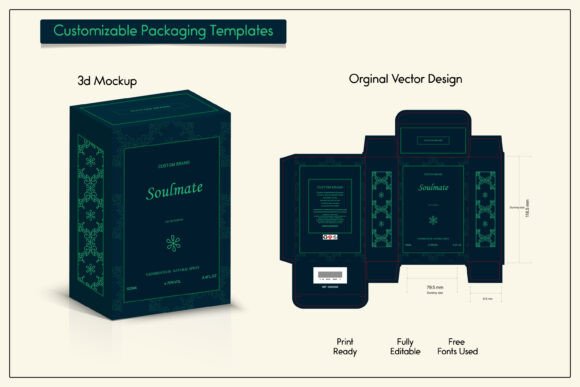
Creating a stunning visual is only half the battle. The other half is ensuring that the design fits the physical structure perfectly. This is where the 3d Box die line becomes critical. A die line is a template that indicates where the cardboard needs to be cut, folded, and glued. Without an accurate die line, even the most beautiful artwork will result in a misaligned or unusable box.
Modern design workflows utilize 3D Packaging Box Design tools to visualize the final product before production. These 3D illustrations allow designers to see how light interacts with the materials, how colors appear on different surfaces, and how the overall composition looks from every angle. By using a Vector design Template, designers ensure that their artwork remains sharp and clear, regardless of the box size. Vector graphics are resolution-independent, meaning they can be scaled up or down without any loss of quality. This flexibility is invaluable when adapting a design for different product lines or seasonal variations.
Key Design Elements and Aesthetics
When crafting an Elegant box design for Products, several key elements come into play. These include:
- Frames and Design elements: Borders, patterns, and graphical accents that guide the eye and frame the brand logo or product information.
- Box Mockup labels: Realistic representations of how stickers, seals, or printed labels will appear on the final package.
- Typography: The choice of fonts can dictate the tone of the brand, from playful and bold to sophisticated and minimal.
- Color Palette: Colors evoke emotions. Gold and black often signify luxury, while pastels may suggest calmness or natural ingredients.
For a Fragrance Perfume luxury box, designers often incorporate metallic foils, embossing, or spot UV coatings in their digital mockups to simulate these premium finishes. While the digital file itself won’t apply the foil, seeing it in a 3d Illustration helps stakeholders approve the design direction and understand the intended final look.
Versatility Across Industries
The principles of effective packaging apply across various sectors. Here is how Custom Packaging Box Design serves different needs:
- Beauty and Cosmetics: Requires hygienic, attractive, and informative packaging. The design must highlight ingredients and usage instructions while maintaining a sleek aesthetic.
- Food and Beverage: Needs to communicate freshness and flavor. Vibrant colors and appetizing imagery are common here.
- Tech and Gadgets: Often favors minimalist, clean designs that emphasize innovation and precision. The unboxing experience is structured and ritualistic.
- Artisanal and Handmade Goods: Benefits from rustic or organic design elements that tell the story of the maker.
Regardless of the industry, the goal is the same: to create a cohesive brand experience. A 3d Box Packaging Design allows businesses to test these concepts virtually, saving time and money on physical prototypes.
What You Get with Professional Design Assets
For those looking to streamline their design process, purchasing professional design assets is a smart move. When you acquire a high-quality package design template, you are investing in efficiency and quality. Typically, you will receive a comprehensive file set that includes everything needed to customize the design for your specific product.
Here is what you can expect from a premium digital package:
- 100% Original Vector Design: The artwork is created from scratch, ensuring uniqueness and legal safety for commercial use.
- Scalability: Because the files are vector-based, you can resize them to fit your needs for any product box without pixelation or blurriness.
- Layered Editing: You can create a design and place it above in a separate layer, allowing for easy customization of logos, text, and colors without affecting the underlying structure.
- Comprehensive File Formats: A typical download includes a zip file containing:
- AI File: Adobe Illustrator format for full editing capabilities.
- PDF Print File: High-resolution PDF ready for sending to printers.
- Jpg File: Preview images for quick reference or online presentations.
To access these files, you can use free software like WinRAR or WinZip to unzip the archive. It is important to note that this is a DIGITAL CUT FILE. No physical items will be mailed to you. The value lies in the editable source files that empower you to produce unlimited physical boxes through your chosen manufacturer.
Important Considerations Before You Start
While digital templates provide a powerful starting point, there are practical steps to ensure success. First, always verify the dimensions. Even though you can resize vector art, the structural die line must match the exact specifications required by your packaging supplier. Second, understand the difference between a mockup and a production file. A Box Mockup is a visual representation used for marketing and approval. It shows how the box will look but does not include the engineering specs for cutting and folding unless specifically stated as a die-line template.
Additionally, consider color profiles. Screens display colors in RGB (Red, Green, Blue), while printers use CMYK (Cyan, Magenta, Yellow, Key/Black). Ensure your design software is set to CMYK mode when preparing the final print file to avoid unexpected color shifts.
Finally, remember that this is a mockup file. You will receive an editable version to customize for business or personal uses, but no template for making the physical box is included in the sense of a DIY craft pattern. It is designed for professional printing processes. By combining these digital tools with a reliable manufacturing partner, you can bring your vision to life with precision and style.
In conclusion, investing time in understanding Custom Packaging Box Design pays dividends in brand perception and customer satisfaction. By utilizing professional resources like 3D illustrations, vector templates, and accurate die lines, you can create packaging that not only protects your product but also elevates your brand identity.